Social companion
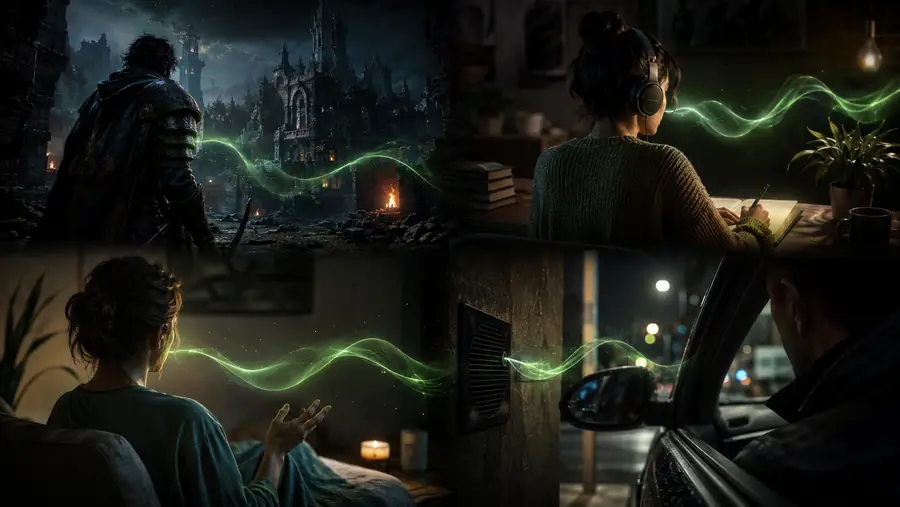
A listener remembers the rhythm of the relationship, responds with warmth, and leaves space for the person to finish.
Shape a companion flowThese inworld voice ai examples show how a product team can move from a text prompt, recorded clip, or existing assistant into a responsive voice experience. The common thread is not a novelty demo; it is a clear place for speech, context, and timing inside the audience’s existing pipeline.
Choose the interaction your audience already understands, then add the realtime layer that makes it more present.
A listener remembers the rhythm of the relationship, responds with warmth, and leaves space for the person to finish.
Shape a companion flowA character can answer in the moment, preserve its attitude, and make dialogue feel connected to the player’s latest action.
Prototype a character voiceA coach gives immediate spoken feedback, models a natural phrase, and adjusts its pace when practice becomes difficult.
Design a learning exchangeA support agent hears the request, checks the next action, and keeps the customer informed without sounding like a script.
Map a support scenarioA guide uses a calm voice, deliberate pauses, and short prompts to help people stay with the activity.
Plan a guided sessionThe strongest inworld voice ai examples do not ask a team to rebuild its product. They place realtime speech between the experience layer and the services that already hold identity, memory, tools, or content. A text-led assistant can stream a response through voice. A game can pass scene context into a character. A learning product can send the learner’s turn to speech recognition, then return a coached answer.
The listener taps, speaks, plays, or enters a prompt.
Speech and context arrive over one responsive session.
Your model, tools, memory, and rules decide what happens next.
The answer returns as speech with timing and direction intact.
The change is less about adding a voice button and more about changing the shape of the exchange. Before, a user waits for a finished block. After, the system can listen, think, and respond in smaller moments.
A complete answer is generated, then played back as one isolated event.
Listening, turn-taking, tools, and voice direction work together as the interaction unfolds.
The visual distinction is useful because it keeps the implementation question concrete: which turn, signal, or piece of context should become audible first?
Use the smallest realtime surface that creates the moment your audience will notice.
Then: connect speech, context, and response
Then: stream the answer with direction
Then: make the incoming signal useful
A useful voice brief should describe more than a persona. It should name the expected interaction volume, the response behavior, the voice direction, and the moment that proves the experience is working. Use the slider to sketch a first monthly workload.
Microphone, clip, or streamed turn with language and session context.
Tone, pace, pauses, character intent, and boundaries for the response.
Audio that arrives quickly enough to keep the audience inside the scene.
Illustrative planning math: actual audio duration, model choice, and product flow determine the final workload.
The modern voice experience arrived through a series of small shifts: from playback, to generation, to interaction.
Teams moved beyond demos and began treating spoken output as part of the core user journey.
Tone, pace, pauses, accents, and character intent became inputs that creators could shape directly.
Realtime sessions connected recognition, models, tools, memory, and speech in one conversational loop.
The best voice products choose the right surface for the moment instead of forcing every use case into one template.
A voice AI example is useful when it clarifies the user, the moment, and the response behavior. These answers turn the broad idea into a product decision.
Bring the audience, scenario, and response behavior. Inworld can help you shape the realtime layer around the product you already have.